
Overview
The Code Crawler Stats plugin was actually created by me, Eric Chamberlin, in the few hours of spare time I could find in the evenings over the course of three days. It was more of an exercise in creating WordPress plugins properly and in an object oriented design (OOD) fashion than it was a carefully crafted plugin. However, the end result was actually quite nice; and more importantly, it was fun creating.
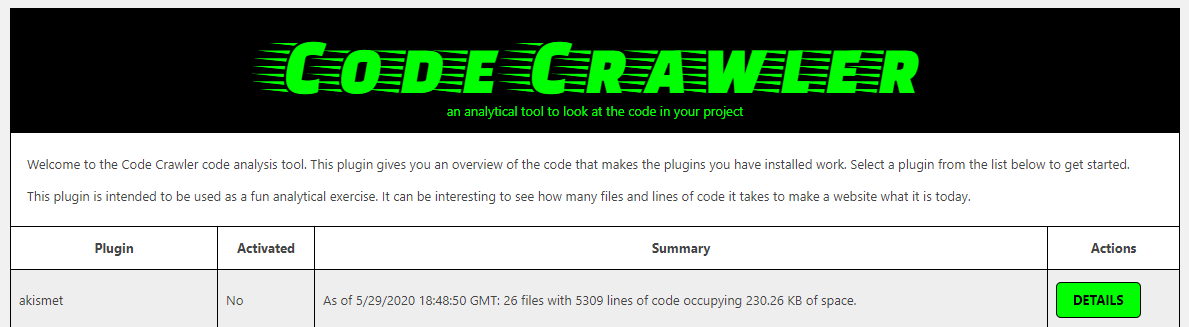
I did choose to use an old school color scheme for some fun retro feel... and cringe.
What It Does
The plugin offers no front-end, public facing functionality. It is accessible only from the WordPress admin back-end. It's only purpose is to allow the site's admin(s) to get an idea of how much code and how many files a plugin has to make it do the things it does. While I don't consider this information to be mission critical, I do find it very interesting. Some plugins that seem to do a lot may have a lot less code than others that seem to do a little. I don't have an example of that metric - I didn't personally observe one - but this tool would allow you to find that sort of information.
More specifically, this plugin scans the plugins you have installed and shows you how many directories, files, and lines of code it contains. It also highlights the largest of the files and the longest of the code files. It also shows you the total file size of the entire plugin. And in case you are wondering, yes it can scan itself. It finds 7 directories, 14 files, and 1105 lines of code. The total size of the plugin is 110.64 KB with the largest file in there being the font's ttf file I used for the plugin's stylish header.
How To
Using the plugin is simple. Once it is installed and activated, you can navigate to the main screen by clicking "Code Crawler" from the admin menu. That screen will list all of your installed plugins - activated or not. Find the plugin you want to scan and click the "Details" button on its row.
The detail screen will load showing you the currently stored scan results, if any exist. There are two buttons at the top left of the display panel. One button takes you back to the main page. The other button scans the plugin, saves the results to the database, and refreshes the screen.
That's all there is to it.
The Database
The plugin does use the database, but only needs one table. It creates a network prefixed table named ccs_plugin_scan that holds one record per plugin scanned. The table is created with the plugin is activated and deleted when it is uninstalled (not deactivated).
There is no bulk scan process and nothing is scanned initially; therefore, the table will be empty until you specifically ask it to scan a plugin. You can scan a plugin multiple times. The scan date and time are stored in the database. If the plugin was never scanned, the first scan will create the table record for it. All scans after that will simply update the plugin's record.
The Code
While the plugin wasn't the product of weeks and weeks of careful planning and design work, the code was actually written quite elegantly, in my opinion. It is nearly all object oriented with the only exceptions being file access safeguards and some WordPress specifics. The files are all rather short, compact, and well organized.
The scan itself is performed primarily from an AJAX request fired off from the click event on the "Scan Now" button found on the details page. However, the button is a link to a valid action URL that will also run the scan and redirect the user back to the detail page in the event that the AJAX or click event fails to fire accordingly. This fail safe is a little silly considering the heavy dependence on JavaScript throughout WordPress's admin back-end, but it doesn't hurt to have it there.
License
The Code Crawler Stats plugin is distributed freely under the GPL version 3.0 license, as properly documented in the plugin's main script file.
No comments to display
No comments to display